



















An accessible casino game lets a player perceive the current state, understand the available actions and complete every essential interaction without depending on one sense or input method. The fastest route to that result is to treat accessibility as part of the game architecture, not as a compliance pass after animation and controls are already fixed.
The WCAG 2.2 Recommendation is technology-neutral. It applies to browser content whether the interface is ordinary HTML, a canvas renderer or a mixture of both. For a game team, that means the rendered scene, controls, help, errors, result presentation and session messages form one experience and must be tested together.

Start with an interaction and information inventory
An accessibility audit should begin by listing every player action and every state the game communicates. For a typical casino title, the inventory includes entering the game, choosing a stake, starting a round, reading the result, opening rules or pay information, changing sound, dismissing dialogs and recovering after an interruption.
For each item, record the visual presentation, the semantic equivalent, the input methods and the expected focus behavior. This exposes gaps that a contrast scan cannot find. A bright spin button may pass a color test but still be unreachable from a keyboard; a win animation may be visible but never announced; an error dialog may open while focus remains trapped behind it.
The inventory also prevents a common canvas failure: providing an accessible shell around an inaccessible game. Navigation to the game is not enough if the essential round actions disappear once the canvas receives focus.
Make every essential control keyboard operable
Essential game actions should be operable through a keyboard interface unless their function genuinely depends on the path of movement. WCAG success criterion 2.1.1 makes that distinction explicit. Buttons, stake selectors, information panels and dialog actions normally have discrete outcomes, so they should not depend on swiping or pointer precision.
Use native HTML controls where possible and synchronize them with the rendered game. Native buttons already carry keyboard activation and semantics that a painted canvas object does not. If a custom control is unavoidable, implement its role, accessible name, state, keyboard behavior and focus indication as one component contract.
Focus must move deliberately. When a modal opens, move focus into it; keep focus within it while open; then return focus to the control that launched it. Do not reset focus to the page body after every round. A visible focus indicator also needs enough contrast and must not be hidden behind sticky UI; WCAG 2.2 added criteria for focus not being obscured.
Separate outcome, animation and presentation
The game outcome should be understandable without relying on its celebration animation. Keep the authoritative round state in a presentation-independent model, then expose it to both the visual renderer and an accessible status region.
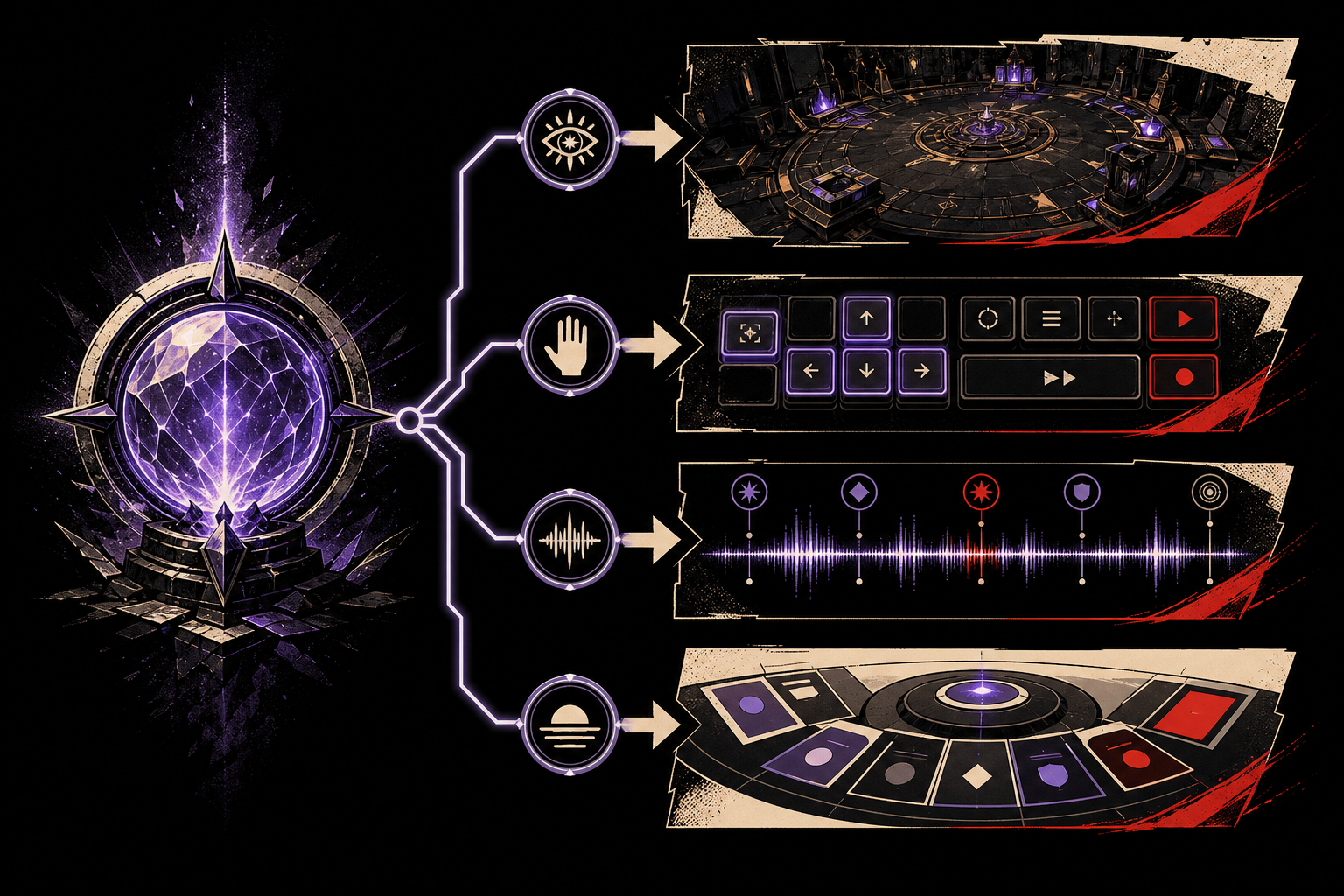
Announce meaningful changes, not every frame. A concise message such as the completed result and updated balance is useful; streaming reel symbols or particle events into a live region is noise. The announcement must also avoid exposing an outcome before the visible sequence is supposed to reveal it.
Color cannot be the only visual means of identifying a state. A disabled action, selected line, loss, warning or bonus should also use text, shape, pattern or an icon with a clear meaning. Text embedded in imagery needs an equivalent, while complex pay or rule information is usually more maintainable as real HTML beside the renderer.
Respect motion preferences and control automatic animation
Reduced motion should change the presentation, not the game result. The CSS prefers-reduced-motion media feature reports a device-level preference, and a game can combine it with an explicit in-game setting.
Replace camera sweeps, parallax, large zooms and repeated screen shake with short fades or direct state changes. Keep enough feedback to show that an action succeeded. If an animation starts automatically, lasts more than five seconds and appears alongside other content, WCAG requires a way to pause, stop or hide it unless the movement is essential; the W3C Pause, Stop, Hide explanation describes the boundary.
Flashing needs a separate gate. WCAG 2.2 says content should not flash more than three times in a one-second period unless the flashes remain below specified thresholds. Test the completed timeline, including particles, overlays and transitions, because several safe-looking layers can combine into an unsafe sequence.
Design touch targets for real mobile play
Touch controls need separation as well as nominal size. WCAG 2.2 success criterion 2.5.8 sets a Level AA minimum target size of 24 by 24 CSS pixels, with defined exceptions. That is a floor, not an ideal casino-game control size: thumb reach, device scaling and controls placed near one another can still cause mistakes.
Give destructive or financially meaningful actions extra space and a clearly different position from repetitive play controls. Do not make a player drag when a tap or stepper can offer the same result; WCAG 2.2 added a dragging-movement criterion requiring a non-dragging alternative unless dragging is essential.

Test the complete game, not isolated components
Accessibility validation should combine automated checks, keyboard-only play, zoom and reflow tests, reduced-motion review, contrast checks and representative screen-reader sessions. Automated tooling is valuable for detectable markup failures, but it cannot decide whether an announcement is timely, a focus sequence is sensible or the result is understandable.
Build the checks into the same release process used for browser and device coverage. A reusable game shell can test focus, dialogs and control semantics once, while every title still needs content-specific testing for rules, symbols, animation and state changes. Accessibility acceptance criteria should also survive localization, because translated labels can grow, wrap or change the accessible name.
For casino game development, this architecture is cheaper to maintain than rebuilding semantics for every renderer. It also gives certification and compliance teams a stable place to verify player information without treating accessibility as a claim that one automated score can prove.
Frequently asked questions
What does accessibility mean for a casino game?
Accessibility means that players can perceive the game state, understand the controls and complete every essential action without depending on one sense, one input method or unnecessary motion. It includes the game canvas, HTML controls, help, errors and session messages.
Does WCAG 2.2 apply to canvas games?
WCAG 2.2 is technology-neutral, so a canvas does not remove the need for accessible content and operation. A browser game can pair canvas rendering with semantic HTML controls, text alternatives and synchronized status messages.
Must every casino game work with a keyboard?
Every essential interaction should be operable through a keyboard interface unless the underlying function genuinely requires path-dependent input. Spin, bet selection, information panels and dialog actions normally do not require a freehand path.
How should a game support reduced motion?
A game should respect the reduced-motion preference and provide controls for non-essential animation that starts automatically or is triggered by interaction. The outcome and required information must remain clear when decorative motion is reduced.
What flash limit should game teams test?
WCAG 2.2 says pages should not contain anything that flashes more than three times in any one-second period unless it stays below the general and red-flash thresholds. Teams should test the final composed sequence, not isolated assets only.
Can color alone communicate a game result?
No. Color should not be the only visual means used to convey information, indicate an action or distinguish a state. Pair color with shape, text, iconography, pattern or another visible cue.