




















Google has begun refreshing the look and feel of Search Console, and says the goal is accessibility and user experience rather than new capability. The change appears the moment you log in, and it arrives in pieces rather than all at once.
What Google changed
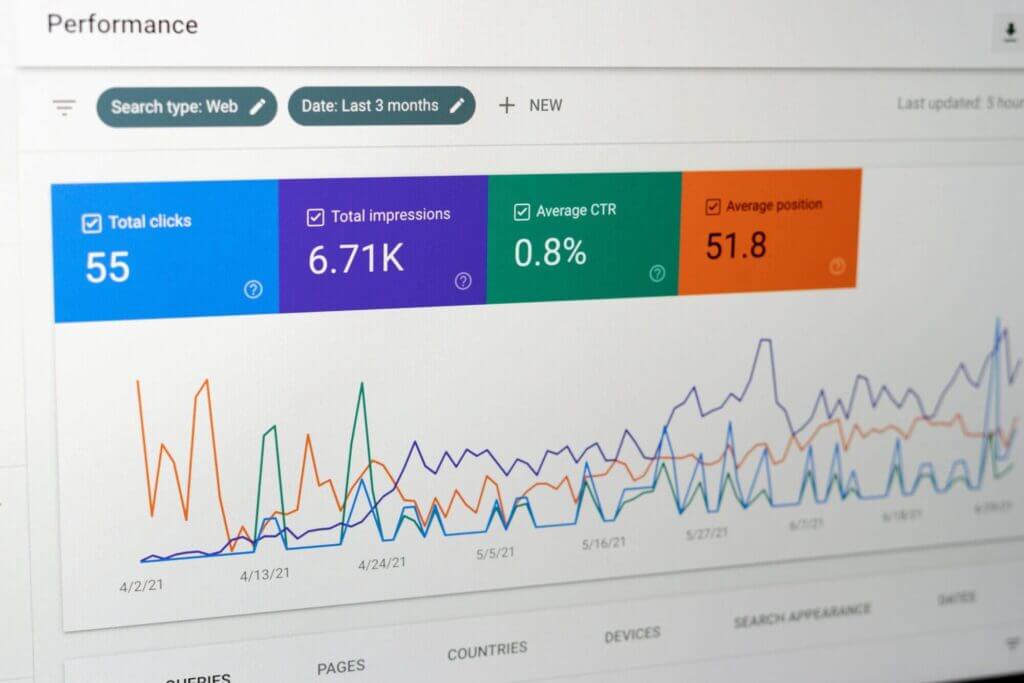
Google introduced a new design for Search Console with the stated intention of improving user experience and accessibility.
The company was looking for a change in the composition and organisation of Search Console’s features — where things sit and how they are grouped — rather than in what the tool measures.
What Google said about it
“We’re starting a journey to refresh the look and feel of Search Console,” Google wrote on its official account on Twitter, “Over the next few months you’ll see small changes in the product with a goal to improve accessibility and user experience in general. We hope you like it!”
Two things in that are worth holding onto: the changes are small and spread over months, and the goal named is accessibility and user experience. Neither promises a new report.
How to see it
The new design is visible right after you log into your account.
There is nothing to opt into. Google’s own post carried a preview of the interface for anyone who wanted to see it before signing in.

What it does not change
As far as we can tell, the functionality is the same.
Search Console is a game changer for many SEOs, and the new design looks fresh and clean — but there do not appear to have been big changes in what it reports. That is our reading of the interface rather than a statement from Google, and the announcement itself claims nothing more.
Why a look-and-feel change still matters
An accessibility goal is a functional goal, even when the feature list is unchanged.
Search Console is where a site’s index coverage and search performance are read, so anyone who could not use it comfortably could not do that work. It is the same argument we make about web accessibility on a public site, and the reason we treat analytics reporting as something a team has to be able to read, not merely have.
Frequently asked questions
What changed in Google Search Console?
The design. Google introduced a new look for Search Console, changing the composition and organisation of its features, with the stated intention of improving user experience and accessibility.
Why did Google redesign Search Console?
To improve accessibility and user experience in general, in Google’s own words. The company said it was starting a journey to refresh the look and feel of the product rather than rebuilding what the product does.
How do you see the new Search Console design?
You see it right after logging into your account. There is no setting to switch on and no opt-in; the refreshed interface is what the account opens into.
Did the redesign change what Search Console can do?
As far as we can tell, no. The new design looks fresh and clean, but there do not appear to have been big changes in functionality — and that is our reading of the interface, not a statement from Google.
Is the new look arriving all at once?
No. Google said that over the next few months users would see small changes in the product, so the refresh is a sequence of adjustments rather than a single switchover.
Where did Google announce the Search Console redesign?
On its official Search Console account on Twitter, in a post that also carried a preview of the new design. That announcement is the source for the wording quoted in this article.
Global Wizards is a digital marketing agency working with small and medium businesses, and reading Search Console properly is part of every engagement. If you want someone to read yours with you, leave us a message.