




















MonsterInsights is a great tool to dive into Google Analytics if you want to track your marketing efforts. In this article, Global Wizards offers a MonsterInsights review to learn all about the best Google Analytics plugin for WordPress.
Google Analytics is free and extremely useful but on the other hand, it is so difficult to understand that even Google has created an Analytics Academy to help you deal with it.
Analytics is an invaluable tool for understanding how your site is connecting with its audience. The best way to grow a website and keep up in the marketplace involves basing analytics on real-time data, as it gives you immediate insight into what’s working or not working with current content.
This MonsterInsights review will show you how real-time data provides useful information to grow your website.
What MonsterInsights is
It is a WordPress plugin that makes visualizing and tracking your Google Analytics data easier than ever. In a few clicks, you can easily connect your WordPress site to Google Analytics and enjoy the many benefits it offers.

The official name of this plugin is Google Analytics Dashboard Plugin for WordPress by MonsterInsights. This tool helps you discover all you need to know about your site, how visitors find it and use it, and so you learn how to keep them coming back.
This plugin brings Google site tracking services right to your WordPress dashboard, making the process of monitoring your website simple and fast. You will be able to add, customize and manage your Google Analytics in a matter of seconds.
The download figure this article carries is more than 16 million users. It is quoted without a named source, so read it as indicative rather than measured.
At its early beginnings, this plugin was named Google Analytics for WordPress, but it was renamed in 2016 when Yoast sold it to the creator of OptinMonster, Syed Balkhi.
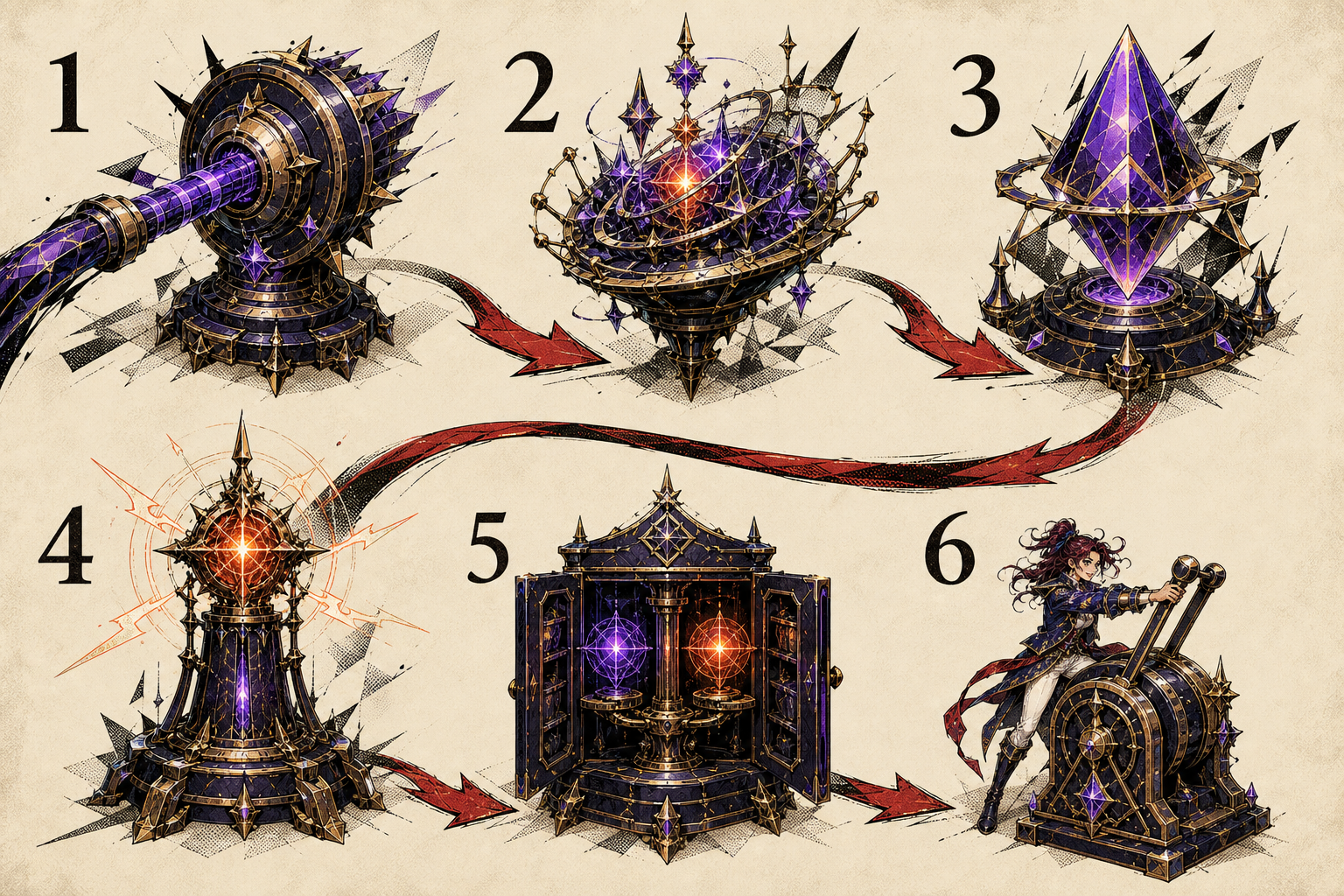
- Connect the WordPress site to Google Analytics
- Collect site activity through analytics tracking
- Bring selected information into the WordPress dashboard
- Inspect real-time activity when timing matters
- Compare reports for content, audience and referral patterns
- Use the evidence to choose the next content or marketing action
Why a plugin rather than Google Analytics itself
Google Analytics is a great tool that provides important data about your visitors. With it, you can get valuable insights about them and how to improve the user experience of people visiting your site so as not to drive them away from potentially becoming customers or subscribers in future visits. Still, reading those metrics can be overwhelming for inexperienced Google Analytics users, as it might be hard to use this data properly.
Your business needs MonsterInsights because it will simplify the way of presenting important analytics data. This tool provides only useful and valuable information for you and your business, leaving irrelevant content aside. However, it being easy to use and understand doesn’t mean that it lacks powerful features: MonsterInsights has many tabs to offer the right answers to all your questions.
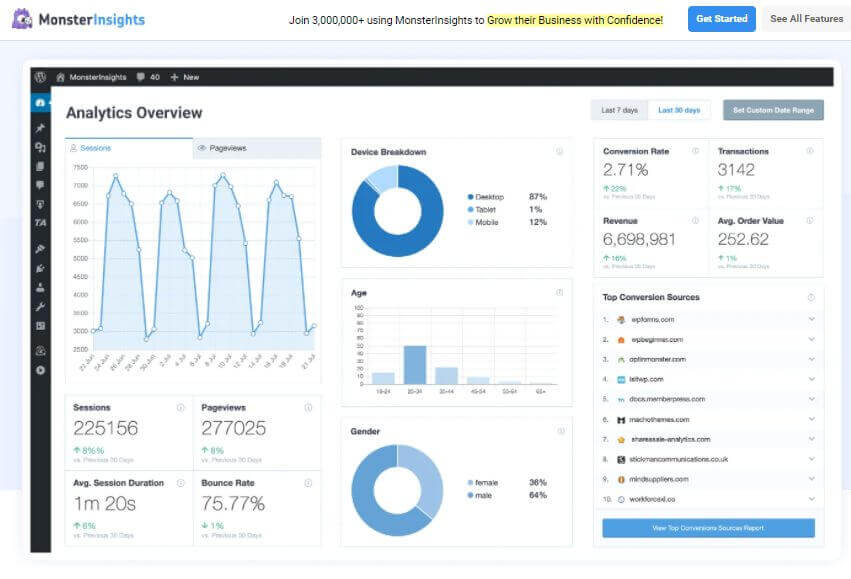
This plugin will be your business’ best ally to understand 3 main factors related to your audience. First, it will help you determine the formats and topics your audience love to create more relevant content. Second, MonsterInsights will give you valuable information on how your audience finds your webpage to create and develop better-focused marketing strategies. Third but not least, it will help you improve your audience reach and turn visitors into customers by tracking your website’s audience conversion.
The three groups of MonsterInsights features
Once you see the long list of this powerful tools it provides, you will clearly understand why Monsterinsights is considered to be the best Google Analytics plugin for WordPress.
Monsterinsights features are divided into 3 different categories: Analytics Tracking, Custom Reports and Integrations. Within each group, you will find over 20 tools to grow your business. That is pretty much a lot!
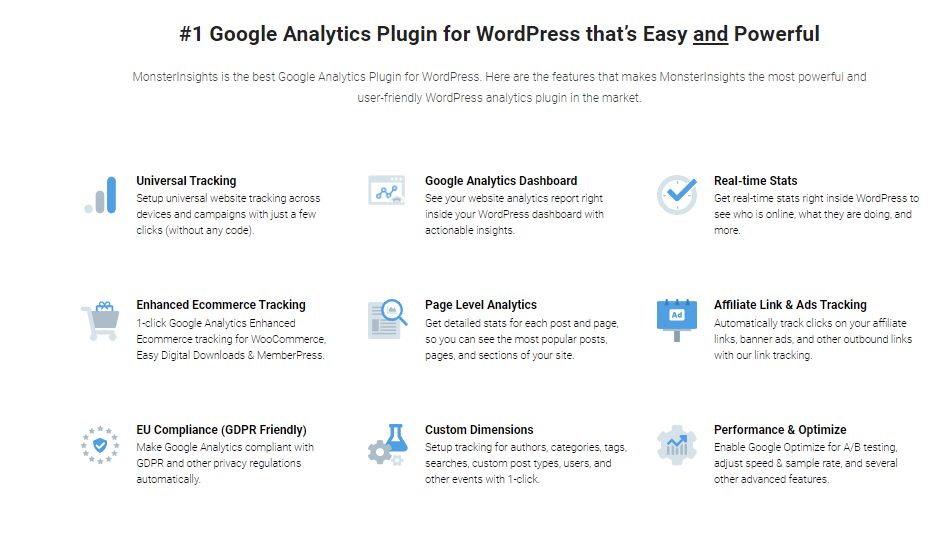
As it would take us forever to enumerate and explain the whole list of features, we will describe the most important ones below. Nevertheless, feel free to visit Monsterinsights’ webpage if you want to learn more about its features.
Standard features
Fast and simple Google Analytics setup
MonsterInsights makes it incredibly easy to connect Google Analytics and your site in a few minutes.
Useful website analytics
Track the number of unique visitors to your site, page views per visit, bounce rate, information about users’ location, referral sources and much more.
Real-time stats in your dashboard
See how your website is performing at any given moment. This comes especially useful when monitoring time-sensitive events, such as limited-time offers or new product/feature promotions.
Popular posts, pages and referral sources
Use Monsterinsights to find out which posts and pages are the most popular on your site and the number of times users visited a certain page in the last month.
Premium features
File Downloads
Discover who is downloading your files from which pages.
Google AMP add-on
This tool will help you correct mistakes made on your AMP versions to avoid producing wrong analytics.
Performance add-on
Monsterinsights lets you adjust the sample rate and the speed sample rate to stay within Google Analytics processing limits
SEO score tracking
Using Custom dimensions, you can choose to monitor your own custom data and display it in your dashboard and reports.
What MonsterInsights cost in 2021
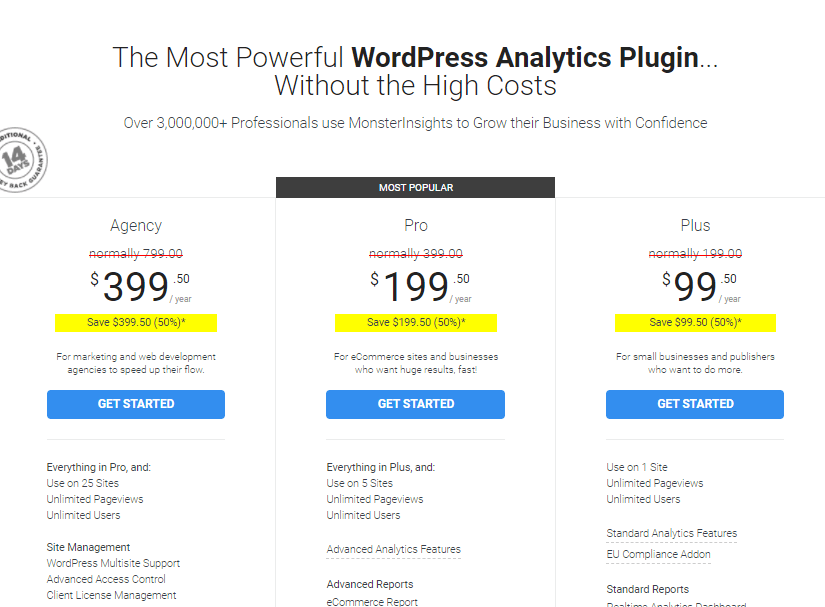
The two screenshots below are the MonsterInsights pricing page as this article captured it in September 2021. The amounts on them belong to that date and are not quoted here, because a price from 2021 is not a current quote.

Our verdict
In this MonsterInsights review, Global Wizards showed you some of the most incredible features of this WordPress plugin. This tool analyzes your Google Analytics reports much easier and will help you understand your website better.
By connecting to it through WordPress, you will have limitless access to your site’s information from just one dashboard.
Our team is convinced that Monsterinsights is by far the best Google Analytics plugin for WordPress available in the market due to its tracking options and enhanced add-ons.
If you want to keep on reading about other WordPress plugins, take a look at our blog, or read our review of the best WordPress cache plugin. Contact us if you are looking for professional digital marketing services. We would love to hear from you!
Frequently asked questions
What is the MonsterInsights plugin?
MonsterInsights is a WordPress plugin that makes visualising and tracking Google Analytics data easier. Its full name is Google Analytics Dashboard Plugin for WordPress by MonsterInsights, and it connects a WordPress site to Google Analytics in a few clicks, bringing the tracking into the WordPress dashboard.
Why use a plugin instead of Google Analytics directly?
Google Analytics is free and useful, and hard enough to read that Google runs an Analytics Academy to teach it. The plugin simplifies how the important data is presented, leaving the irrelevant aside, so an inexperienced user can act on the numbers rather than get lost in them.
What can MonsterInsights tell you about your audience?
Three things, as set out here: which formats and topics your audience responds to, so you can make more relevant content; how your audience finds your site, so marketing can be aimed better; and how visitors convert, which is what tells you whether reach is turning into customers.
What are the standard MonsterInsights features?
A fast Google Analytics setup; website analytics covering unique visitors, page views per visit, bounce rate, user location and referral sources; real-time statistics in the dashboard, which matter most during a time-limited offer or a launch; and reporting on your most popular posts, pages and referral sources.
What do the premium MonsterInsights add-ons do?
File Downloads shows who is downloading which file and from which page. The Google AMP add-on corrects mistakes on AMP versions that would otherwise produce wrong analytics. The Performance add-on adjusts the sample rate and speed sample rate to stay inside Google Analytics processing limits. SEO score tracking uses custom dimensions to display your own data in the dashboard.
How are MonsterInsights features organised?
Into three categories: analytics tracking, custom reports and integrations. Each group holds more than twenty tools, which is why this review describes the ones that matter rather than listing all of them.